Wing Pro 12.1.2 Overview:

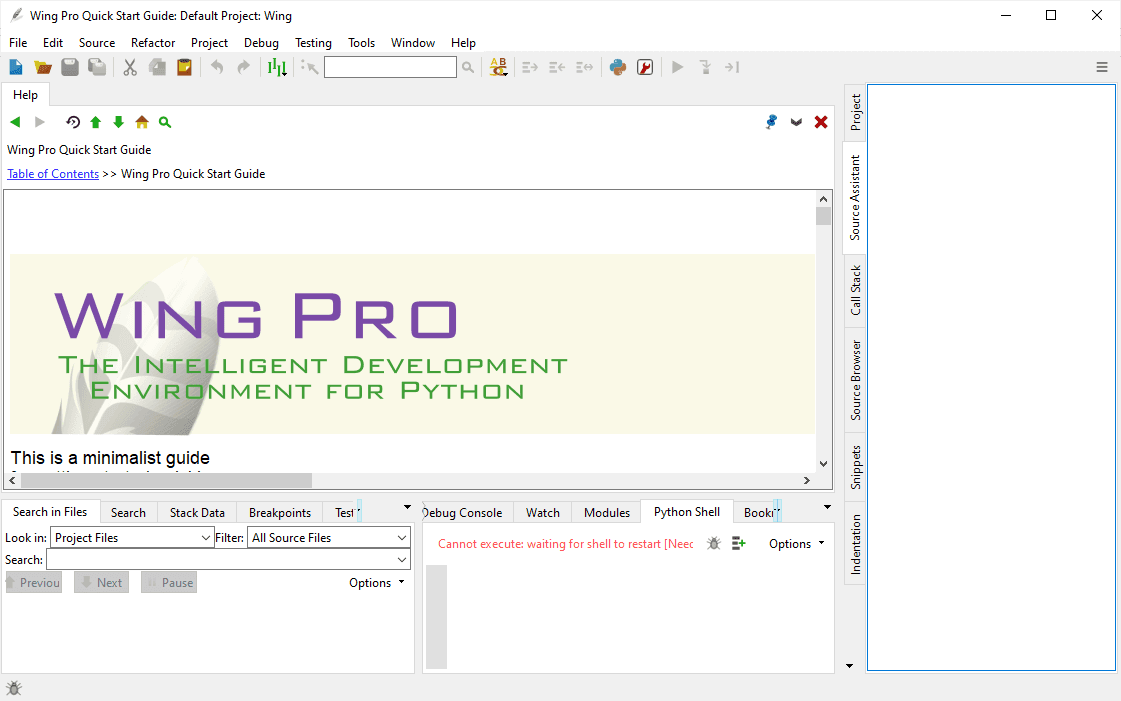
Wing Pro 12.1.2 Crack is a smart development environment designed from the ground up for Python to enable more productive development. It is a full-featured Python development environment designed for professional developers. It includes powerful features for editing, code analysis, refactoring, debugging, searching, unit testing, project management, version control, and remote development.
Wing Pro 12.1.2 Key Features:
- Get More Done
Enter less and let Wing take care of the details. Use AI to write and modify code. Work interactively in a live Python runtime. It’s easy to navigate through the code and documentation.
- Write Better Code
Avoid common pitfalls and find problems early with Wing’s in-depth Python code analysis. Keep your code clean with smart refactoring, code review, and reformatting.
- Find Bugs Faster
Debug any Python code. View debug data and try to fix errors interactively without restarting the application. Work locally or on a remote host, virtual machine, or container.
- AI-Assisted Software Development
You can ask Wing Pro 12.1.2 License Key to use generative AI to implement missing code in the current input position or use AI to refactor or improve existing code by describing the changes you want to make. Example queries include “create unit tests for class A,” “convert this to a Python generator,” and “rewrite this multi-threaded code to run asynchronously.” Your role changes from writing code by hand to managing a smart assistant capable of performing a wide range of programming tasks.
- Powerful Interactive Debugger
The Wing Debugger makes it easy to fix errors and write new Python code interactively. Use conditional breakpoints to isolate the problem, then step through the code, inspect data, try to fix errors using the debug console command line, observe values, and perform recursive debugging. You can debug multi-process and multi-threaded code running from an IDE, hosted on a web framework, called from an embedded Python instance, or running on a remote host, virtual machine, container, or cluster. Wing also provides an array and data frame viewer for scientific and data analysis tasks.
- Remote and Container Development
Wing’s quickly configurable remote development support enables seamless and secure use of all Wing features in Python code running on a remote host, virtual machine, container, or cluster. Remote development is possible for macOS and Linux hosts, including hosts hosted on Docker, Docker Compose, AWS, Vagrant, WSL, Raspberry Pi, and LXC/LXD.
- Intelligent Editor
The Wing Editor accelerates interactive Python development with context-sensitive autocompletion and documentation, built-in error detection and code quality analysis, PEP 8 compliance, invocation assistance, automatic editing, import management, refactoring, code folding, multiple selection, and custom code. fragments and much more. Wing can emulate vi, emacs, Eclipse, Visual Studio, XCode, and MATLAB.
- Easy Code Navigation
Wing Pro 12.1.2 Patch makes it easy to walk through your code with transition detection, use case search, project symbol search, editor symbol index, module and class browser, keyboard search, and powerful multi-file search. Your browsing history is saved automatically, so you can instantly return to a previously visited code. Or define and view bookmarks by category that automatically track code changes.
- Integrated Unit Testing
Wing Pro 12.1.2 Serial Key supports test-driven development using the testing frameworks unittest, doctest, nose, pytest, and Django. Failed tests are easy to diagnose and fix using Wing’s powerful debugger, and you can write new code interactively within the runtime context configured with a unit test. Wing Pro Crack can track and display code coverage for your unit tests so you know how well your tests are implementing your code. Coverage data is also used to determine when changes to your code invalidate previously collected test results.
- Project Management
Wing’s powerful project management capabilities work with Python environments managed by virtualenv, Poetry, Pipenv, Conda, and Docker, with version control using Git, Mercurial, Perforce, Subversion, or CVS. You can easily create new Python environments from Wing, add, remove, or update Python packages, and freeze your package configuration for use by other developers.
- Customizable and Extensible
Wing Pro 12.1.2 Keygen offers hundreds of configuration options that affect editor emulation, display themes, syntax coloring, UI layout, and more. Easily switch to and from dark mode, enhance the experience for presentations and meetings, and use perspectives to manage UI configurations for specific tasks. New IDE features can be added by writing Python code that calls the Wing Scripting API. You can even develop and debug extension scripts using Wing.
- Scientific and Data Analysis
Wing’s focus on interactive development is well suited for scientific analysis and data mining using Jupyter, NumPy, SciPy, Matplotlib, pandas, and other platforms. The Debugger Data and Array Viewer make it easy to inspect large data sets.
- Web Development
Wing Pro 12.1.2 Activator supports development with Django, Flask, web2py, Pyramid, Google App Engine, and other web platforms. The debugger can work with Django and web2py templates. Wing works seamlessly with code running on a remote host, virtual machine, or container hosted on Docker, WSL, Vagrant, AWS, or LXC/LXD.
- Animation and Games
Because the Wing Debugger can run on built-in instances of Python, it can be used to develop scripts for Blender, Autodesk Maya, NUKE, Source Filmmaker, and other modeling, rendering, and compositing applications that use Python. Wing also works with pygame and other Python-based game engines.
- Desktop Apps and More
Wing IDE Pro 12.1.2 Crack can develop, test, and debug desktop applications using PyQt, wxPython, Tkinter, and other UI development platforms. Scripting, Raspberry Pi, and other types of development are also supported.
- And Much More
Other features include a diff/merge tool, code reformatting with Ruff, Black, YAPF, and autopep8, indentation style conversion, and OS command line execution. Wing runs on Windows, macOS, and Linux, and also supports remote development for Raspberry Pi and other ARM Linux devices.
What’s new in Wing Pro 12.1.2?
(Released on 03-11-2026)
New Features:
- Show PDF files rendered in the editor.
- Have AI agents set a new program as main entry point and say how to start it.
- Let AI agents set up run arguments and Python environments.
- Run AI agents’ debug_test apart from your own debug sessions and breakpoints.
- Show Support+Upgrades reminders at most once a day, with the expiry date.
- Add a Journal of work sessions to Tasks, exported with Export History.
- Ask before Merge From Branch has the AI agent resolve conflicts.
- Allow chained read-only commands and quoted grep regexes during a merge.
- Name the sessions vcs_merge waited for in its result.
- Ask in Make Tasks whether to save the plan’s tasks as Drafts or run them now.
- Share checklist steps whether or not Share Plan is on.
- Choose which other developers’ plans and checklists to show from filters.
- Merge the Tasks Manager’s repeated questions about a task into one.
- Tell the Tasks Manager when you answer a task’s questions yourself.
- Let the Tasks Manager update the project’s Claude Code memory.
- Allow up to 32 writing workers in the Tasks Manager’s settings.
- Show the Tasks Manager’s session when its state text is clicked.
- Add Mark as New to task menus, to put a seen task back on Incoming.
- Mark running tasks on Up Next with a Running pill, and their status Working.
- Retitle Up Next’s “Ready – Not Yet Queued” section as “Not Yet Queued”.
- Show Perforce Blame as annotations in the editor, like Git and Mercurial.
- Update bundled Python to 3.14.10 and OpenSSL to 3.5.9; drop revoked CAs.
Bug Fixes:
- Fix analysis memory growing without limit as files are scanned.
- Fix editor pauses analyzing very large files or trimming the analysis cache.
- Fix some analysis results not being saved to the analysis database.
- Fix some inferred attributes going missing until their file is edited.
- Fix files changed outside of Wing sometimes not being reanalyzed.
- Fix macOS sometimes missing file edits made just after a folder is watched.
- Fix “Analyzing Files: W=” staying on the status line after analysis ends.
- Fix version control commands sometimes taking 3 seconds longer than needed.
- Fix remote VCS commands sometimes failing right after files change.
- Fix reviews of changes showing Read Failure or omitting removed files.
- Fix stale-test detection missing tests right after an edit or a test run.
- Fix test_get_details including output from other concurrent test runs.
- Fix AI agent sessions restored at startup sometimes never getting tasks.
- Don’t submit a long half-typed agent prompt along with text Wing sends.
- Don’t wait at quit on an agent whose hooks never reached Wing.
- Fix quoted or abbreviated VCS options escaping agent permission checks.
- Don’t let AI agents mistake edit_scope’s own writes for another writer’s.
- Fix commits leaving out files a task changed after its turn ended.
- Fix an agent’s own hg or git commit marking all its task’s files committed.
- Fix Tasks Manager commits taking unfinished tasks’ changes to shared files.
- Fix the Tasks Manager failing to commit a merge a task made with hg merge.
- Fix one-writer Tasks Manager starting tasks while work is uncommitted.
- Don’t ask the user to commit Tasks Manager work whose commit failed.
- Don’t report a task’s work as lost when the task undid its own change.
- Fix vcs_merge waiting on its own caller in a resumed agent session.
- Let a resumed session finish its merge, or another take over a closed one’s.
- Don’t block the Tasks Manager’s non-VCS commands during a merge.
- Fix losing a plan when Share Plan is changed in another working copy.
- Fix Questions tab refilling a sent plan comment when a task asks again.
- Don’t let the Tasks Manager accept a plan while you work in its task’s session.
- Fix a Tasks Manager redirect sometimes taken as a prompt the user typed.
- Fix the Tasks Manager’s answers sometimes never reaching a task.
- Keep a task taken out of plan mode out of it when Wing restarts.
- Don’t run a task alone when its text only mentions a later merge.
- Let the Tasks Manager retire a superseded plan’s Drafts it filed.
- Don’t show tasks the Tasks Manager makes Ready as new on Incoming.
- Don’t bring the AI Agent tool to the front when a queued task starts.
- Keep the running time of Up Next’s running tasks counting up.
- Don’t count time the machine slept in a task’s running time.
- Fix Tasks rows not updating after a menu choice until the pointer moves away.
- Fix agent-filed task rows indenting further than others on the Tasks panel.
- Drop the “- ” before a task status that wraps below its name.
- Fix the Tasks Manager’s cog not matching the size of the text beside it.
- Fix changes to the Interfaces path preference not fully taking effect.
- Fix SSH passphrase prompts showing a key file’s path lowercased on Windows.
- Fix Peers Test Connection hanging when the remote agent is missing.
- Fix peer messages queued at nearly the same time going out of order.
- Fix Perforce commands using Wing’s directory to find P4CONFIG files.
- Fix Perforce commands doing nothing just after fixing its settings.
- Fix overriding OpenCode permissions set in XDG_CONFIG_HOME on Windows.
- Fix the Russian translation of the Running status in Tasks and Testing.
- Fix the analysis helper cutting ide.log short and ignoring –settings.
You may also like: Final Draft + Crack
Screenshots:
How to install & crack?
- Wing Pro 12.1.2 downloaded package contains the setup for both 32-bit and 64-bit Windows operating systems (Choose according to your OS).
- Disconnect from the internet and also pause your Antivirus momentarily as the medicine file will be detected as a threat to your Windows (But it is safe and tested by TOPKEYGEN).
- Now extract the package by using WinZip or WinRAR and install Wing Pro 12.1.2 by using setup.
- After the installation is done, launch the program and use the keygen to activate the program.
- It’s done, Enjoy Wing Pro 12.1.2 Full Version.
Wing Pro 12.1.2 Keygen & Patch {Tested} Full Version Free Download from the links given below!